
Raksham
Raksham helps families and individuals interrupt impulsive app use with puzzles, monk mode, friendly challenges, and accountable routines.
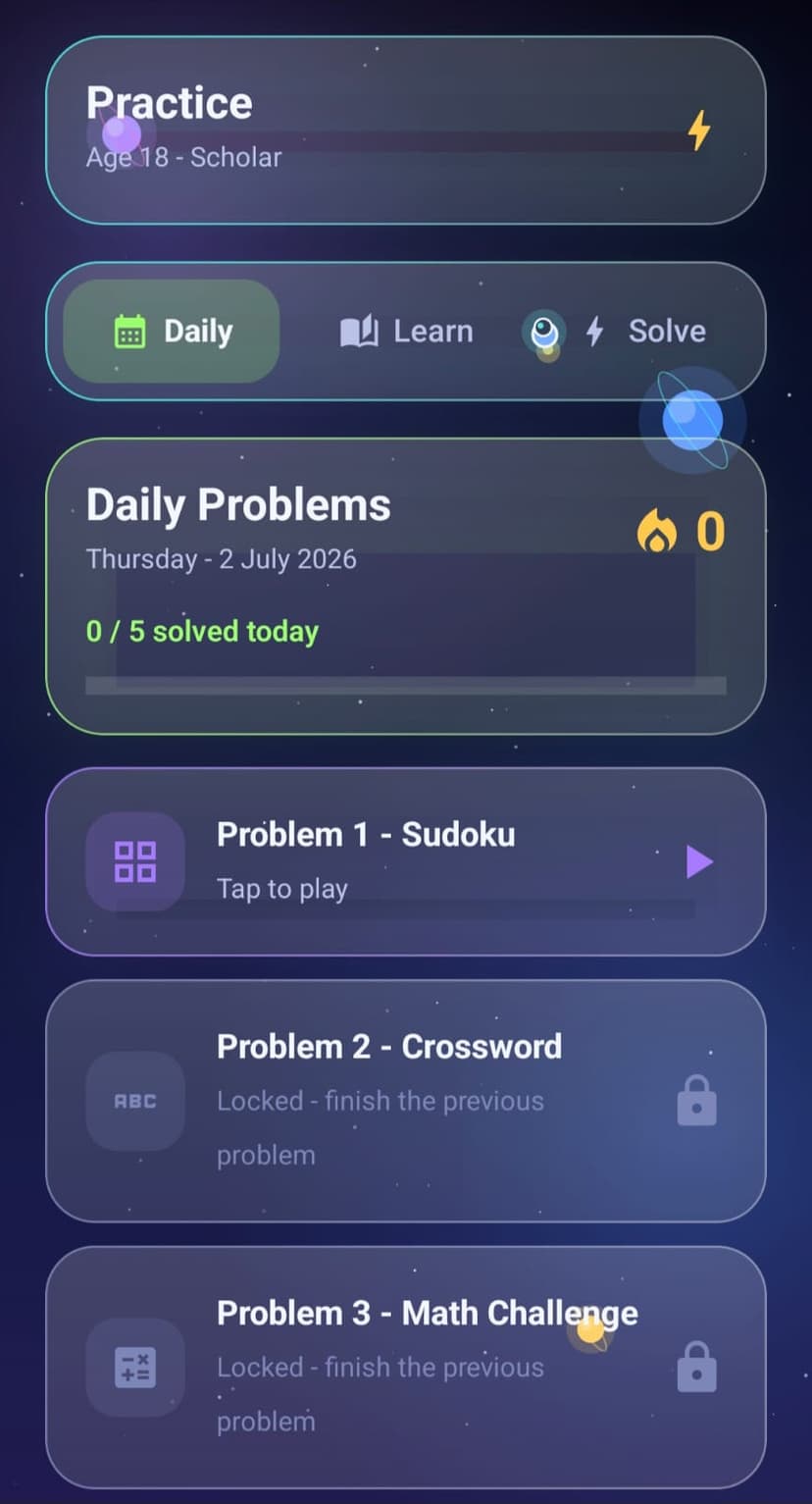
App lock with learning
Blocked apps open through age-aware puzzles, not plain passcodes.
Family and individual modes
Profiles, PINs, parent controls, and flexible app lists fit different households.
Monk Mode
Pick apps for a focused session and remove puzzle bypass during deep work.
Simit for Chrome
Website blocking and pairing extend the focus system to desktop browsing.
Watch the walkthrough videos.
Play demos below with full controls, or open the full set on Google Drive if you prefer streaming from there.
From impulse to intention.
Raksham does not only say no. It creates a small pause, gives a challenge, then lets the user earn access or return to focus. That makes it useful for students, parents, and adults who want a kinder guardrail.

Focus starts here.
Scroll through the Raksham flow.
These screens show how testers move from setup to app blocking, puzzles, practice, friends, rewards, and cooldowns.
Create your mode
Choose Individual or Family, set your PIN, then create the first profile.
Select distractions
Pick apps and websites you want Raksham to protect during focus windows.
Solve to earn access
When a blocked app opens, Raksham brings you back to a timed puzzle session.
Review and improve
Practice, friends, championship, rewards, and focus score make progress visible.
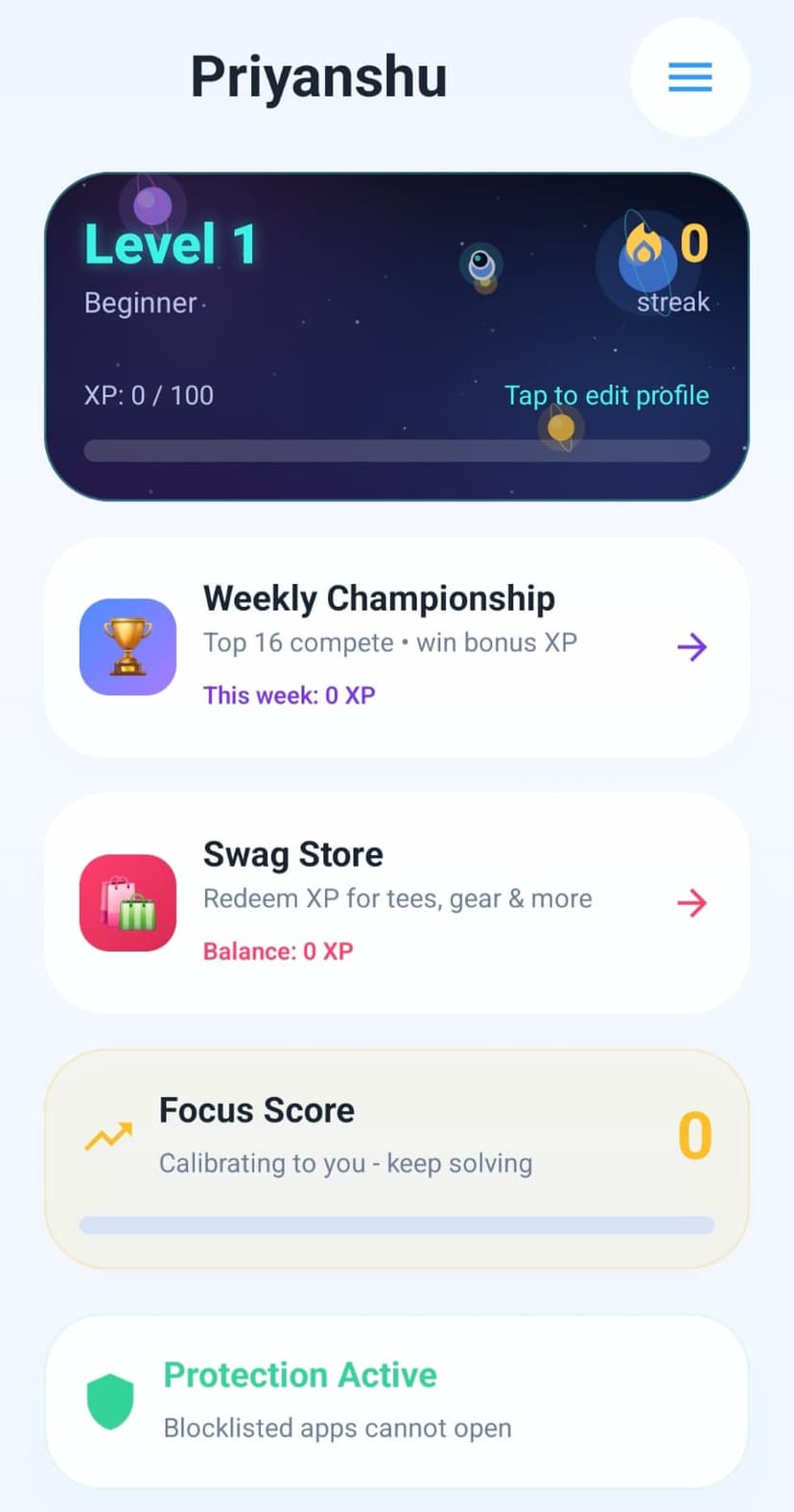
Start from your dashboard
See your level, focus score, protection status, rewards, and weekly championship from one place.
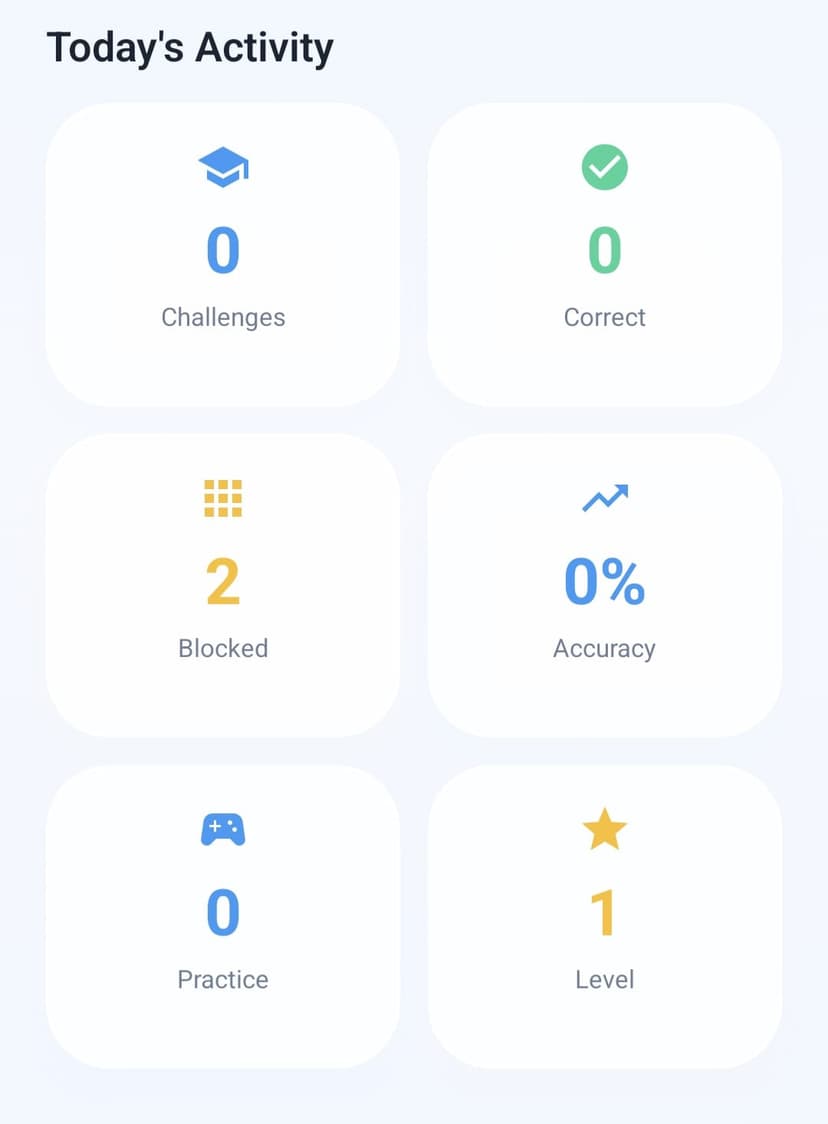
Track today's activity
Challenges, correct answers, blocked attempts, practice, and level progress stay visible.
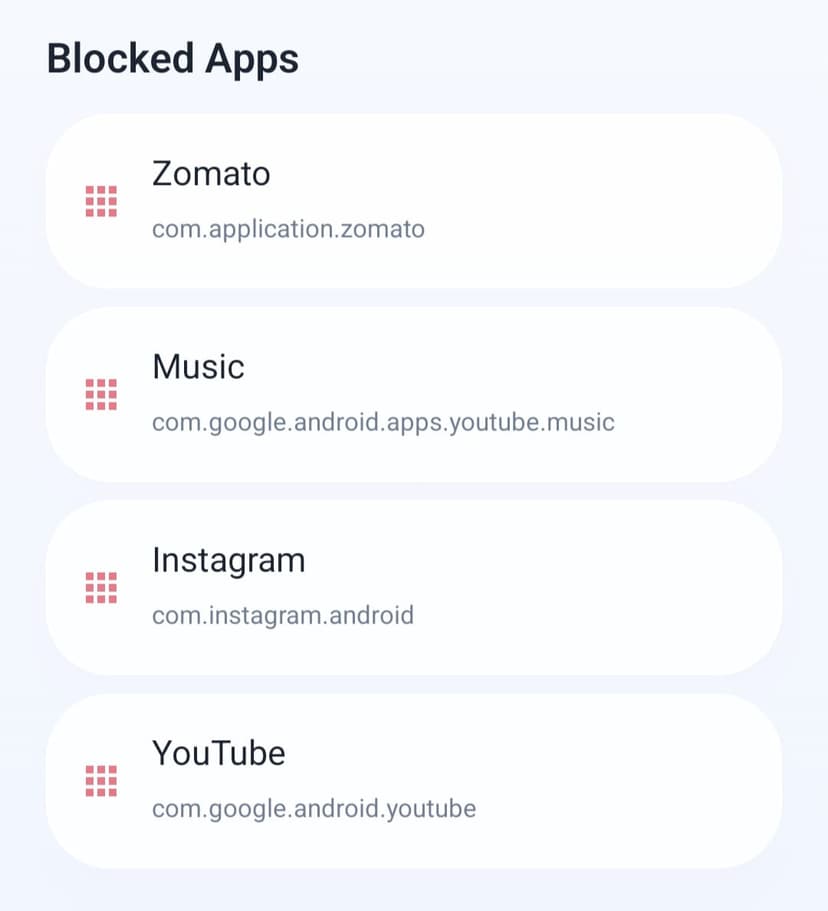
Choose blocked apps
Pick the apps you want Raksham to interrupt instead of shipping a fixed block list.
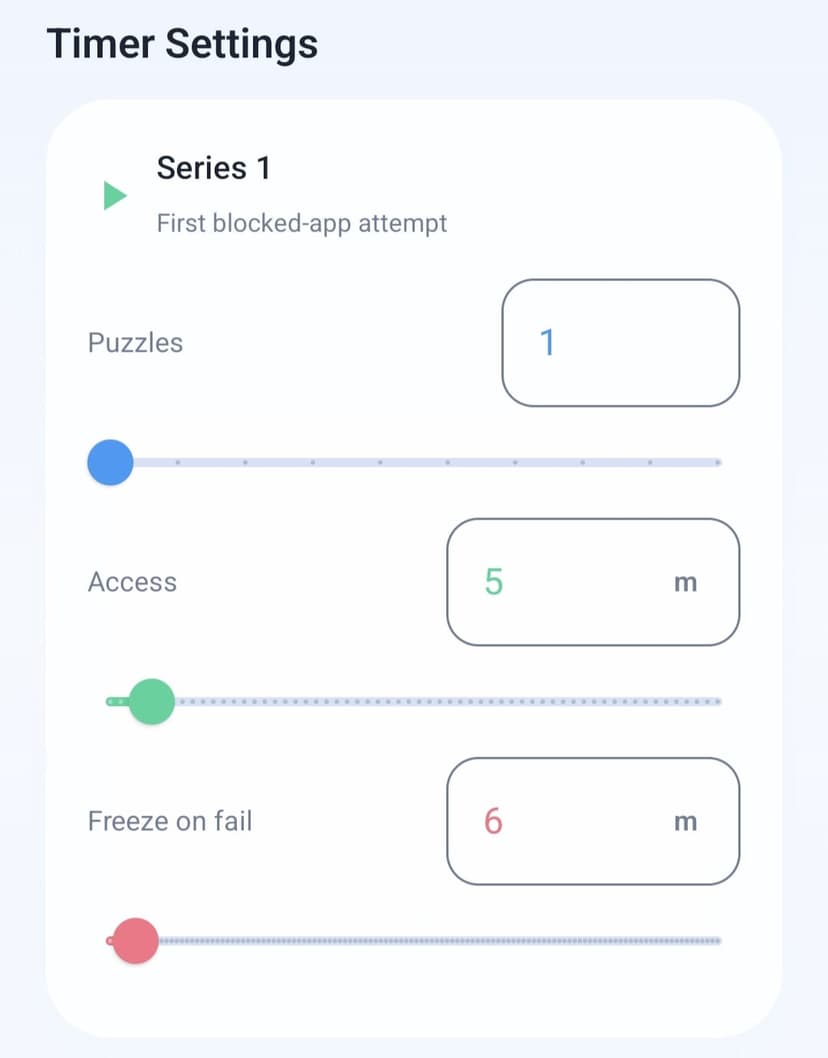
Tune the timer series
Adjust puzzles, access windows, and fail cooldowns for your own routine.
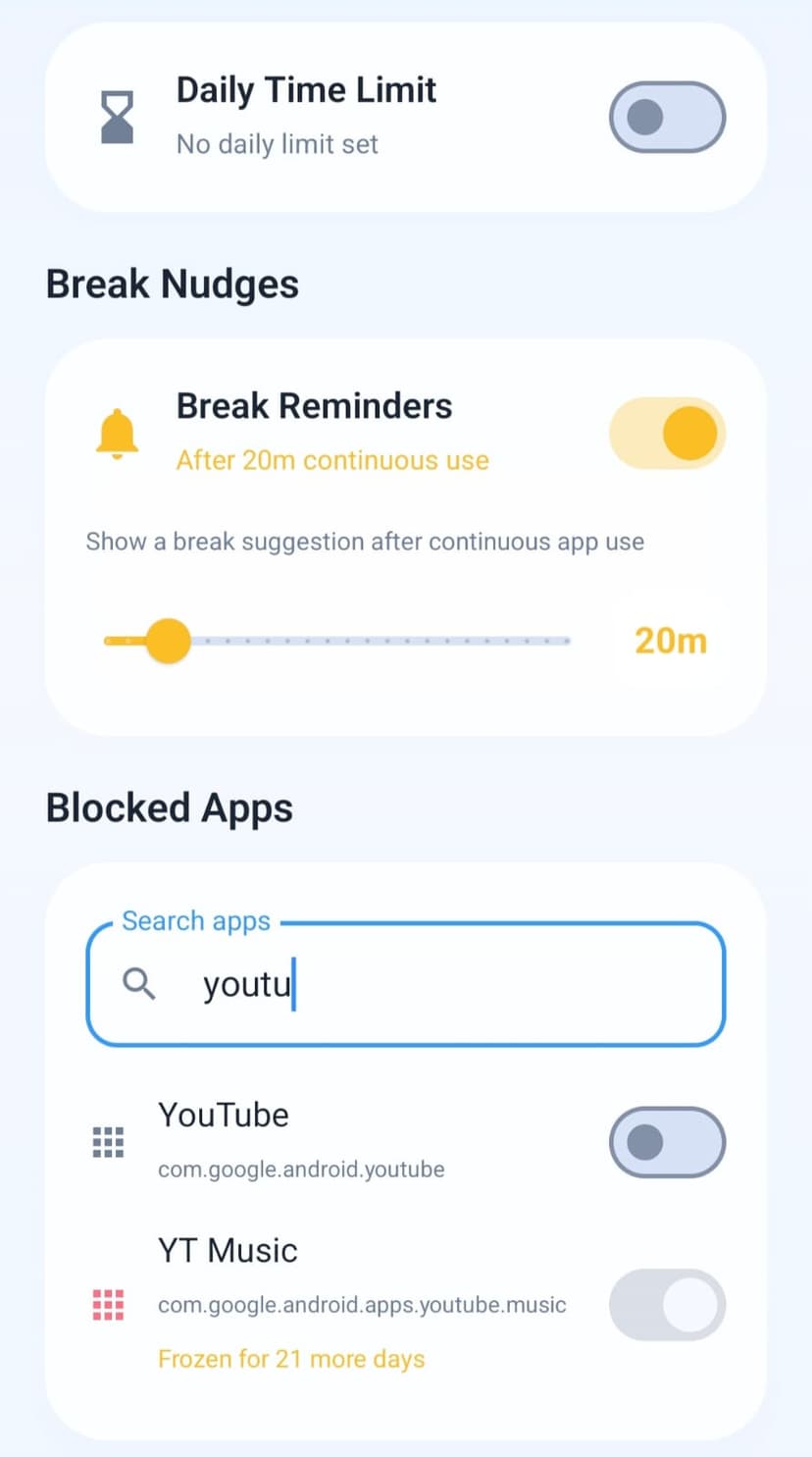
Search and manage apps
Find installed apps quickly and keep the block list flexible.
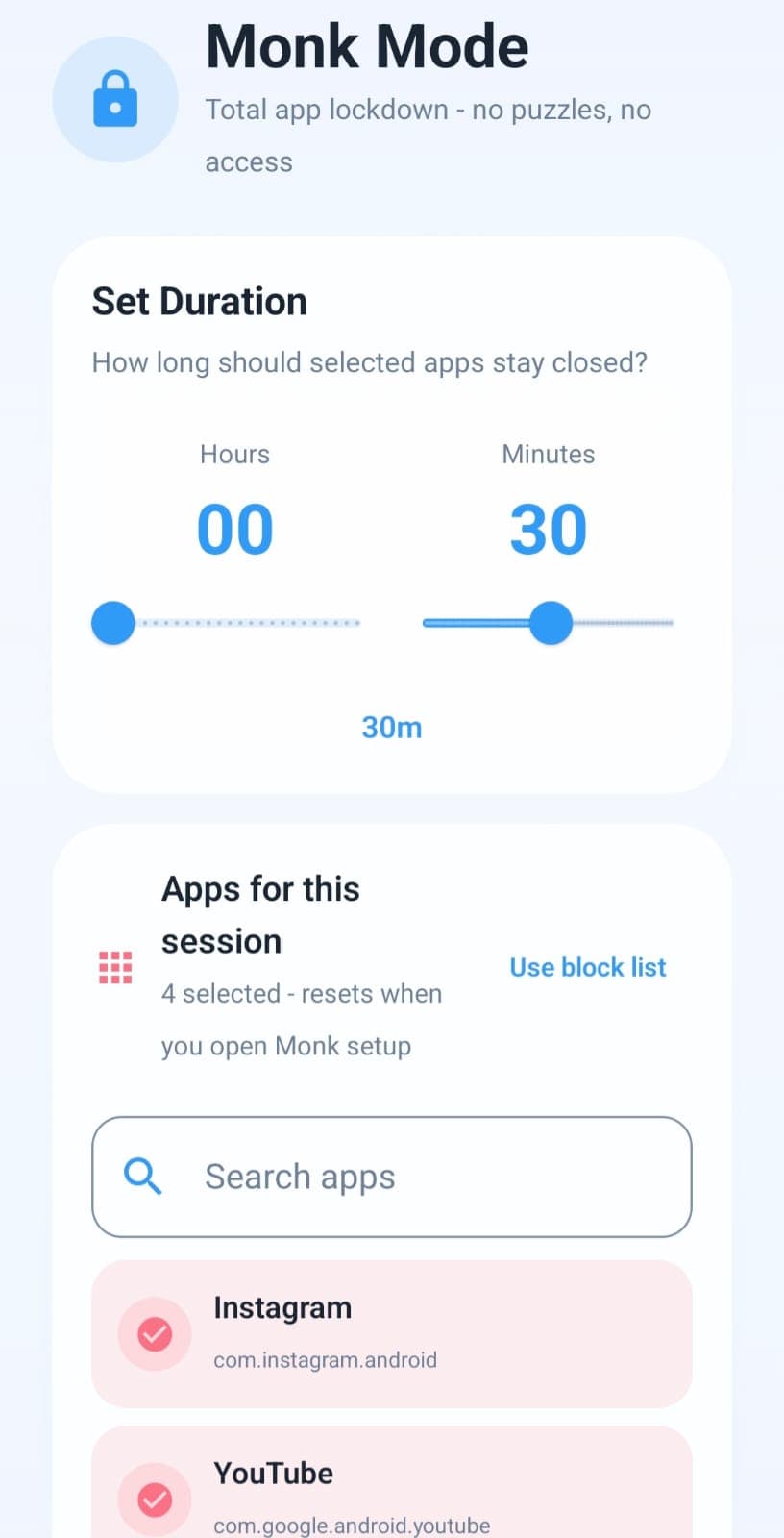
Use Monk Mode
Start deep focus sessions where selected apps stay closed without puzzle bypass.
Practice with puzzles
Daily problems and learning sections make app unlocks feel earned.
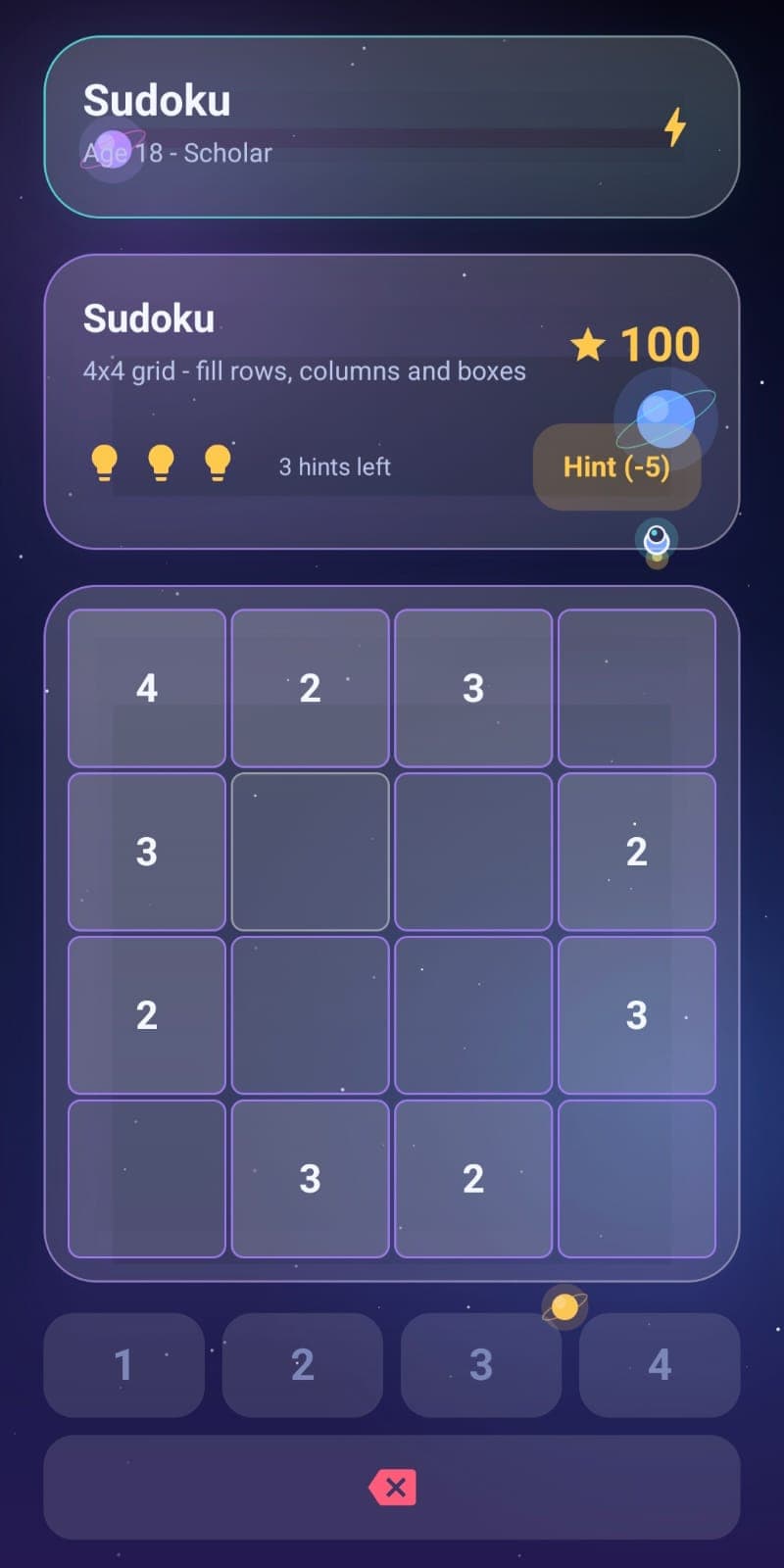
Solve richer challenges
Sudoku, memory, logic, and timed puzzle types replace plain arithmetic unlocks.
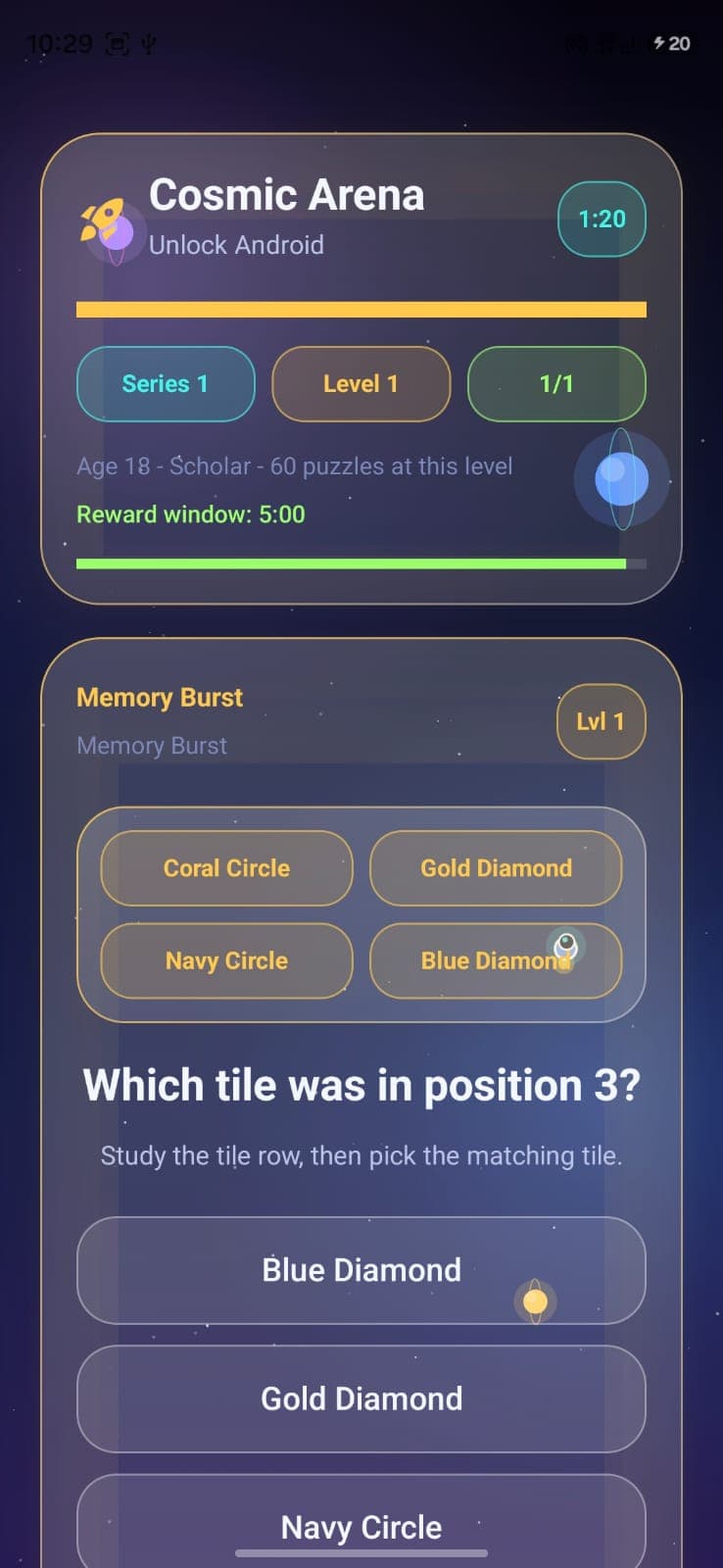
Enter the cosmic arena
Blocked app attempts open a timed puzzle flow with clear rewards and failure behavior.
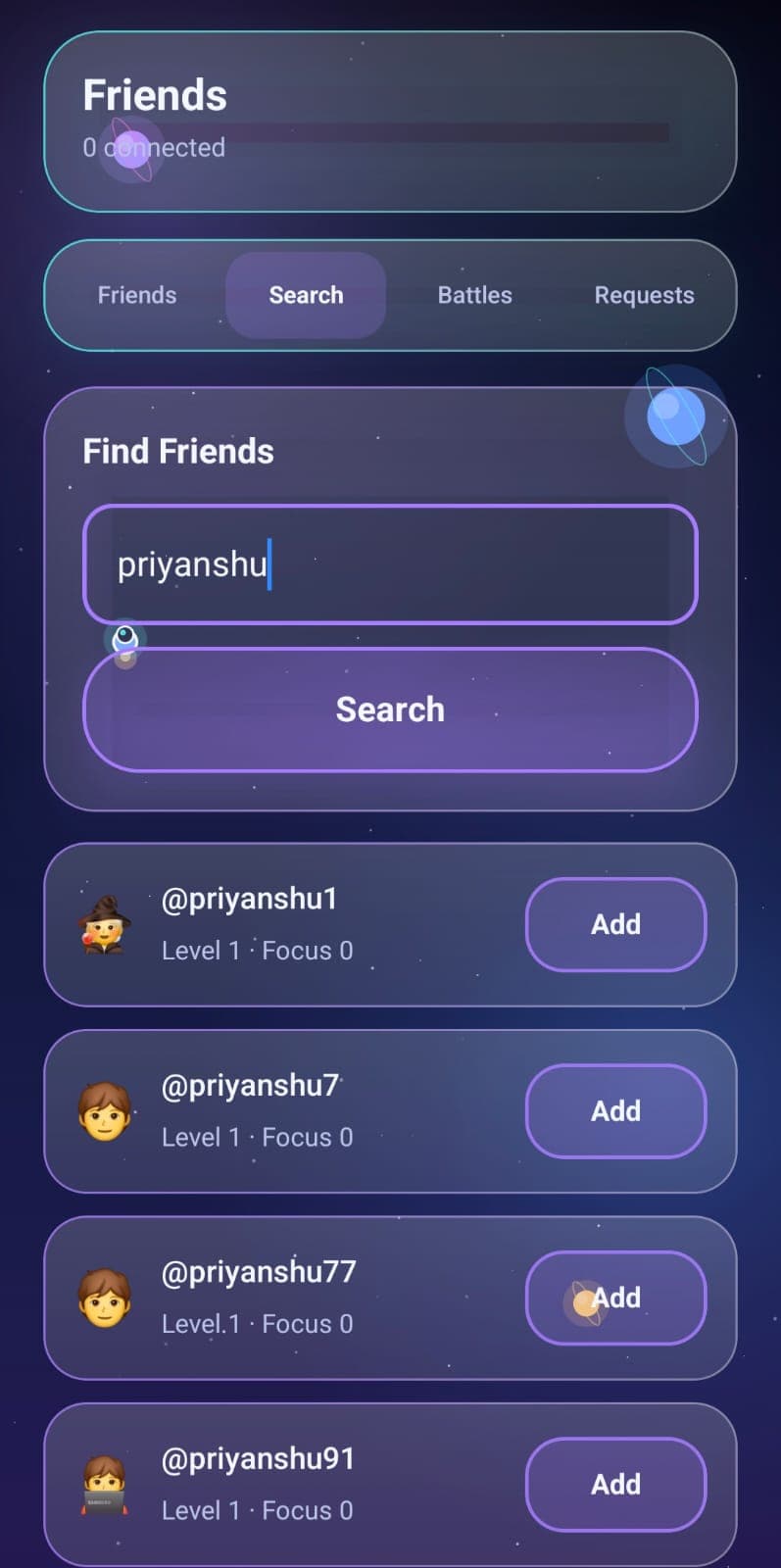
Connect with friends
Search, add friends, and keep accountability social without clutter.
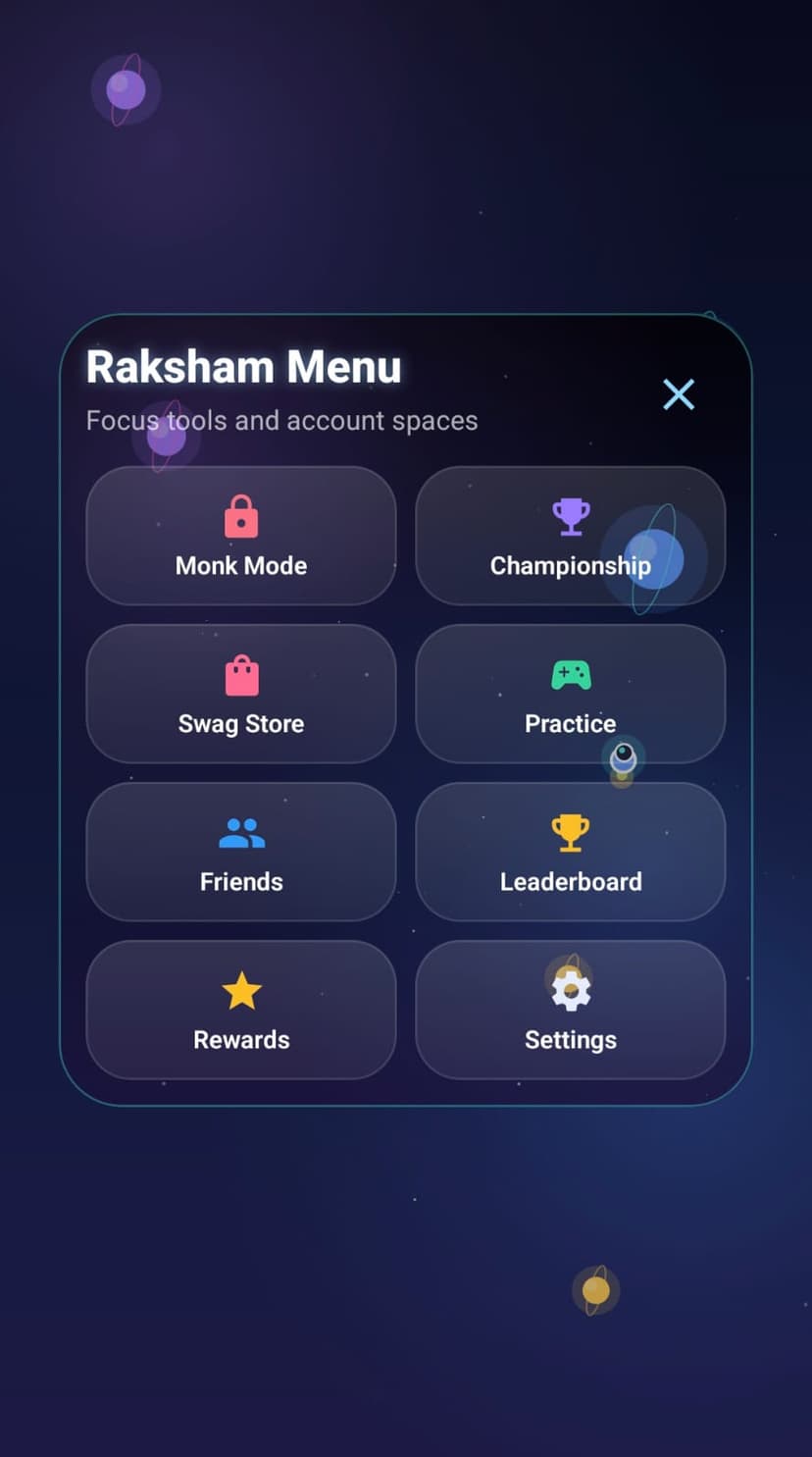
Open the Raksham menu
A centered space menu keeps Monk Mode, Friends, Rewards, Settings, and more within reach.
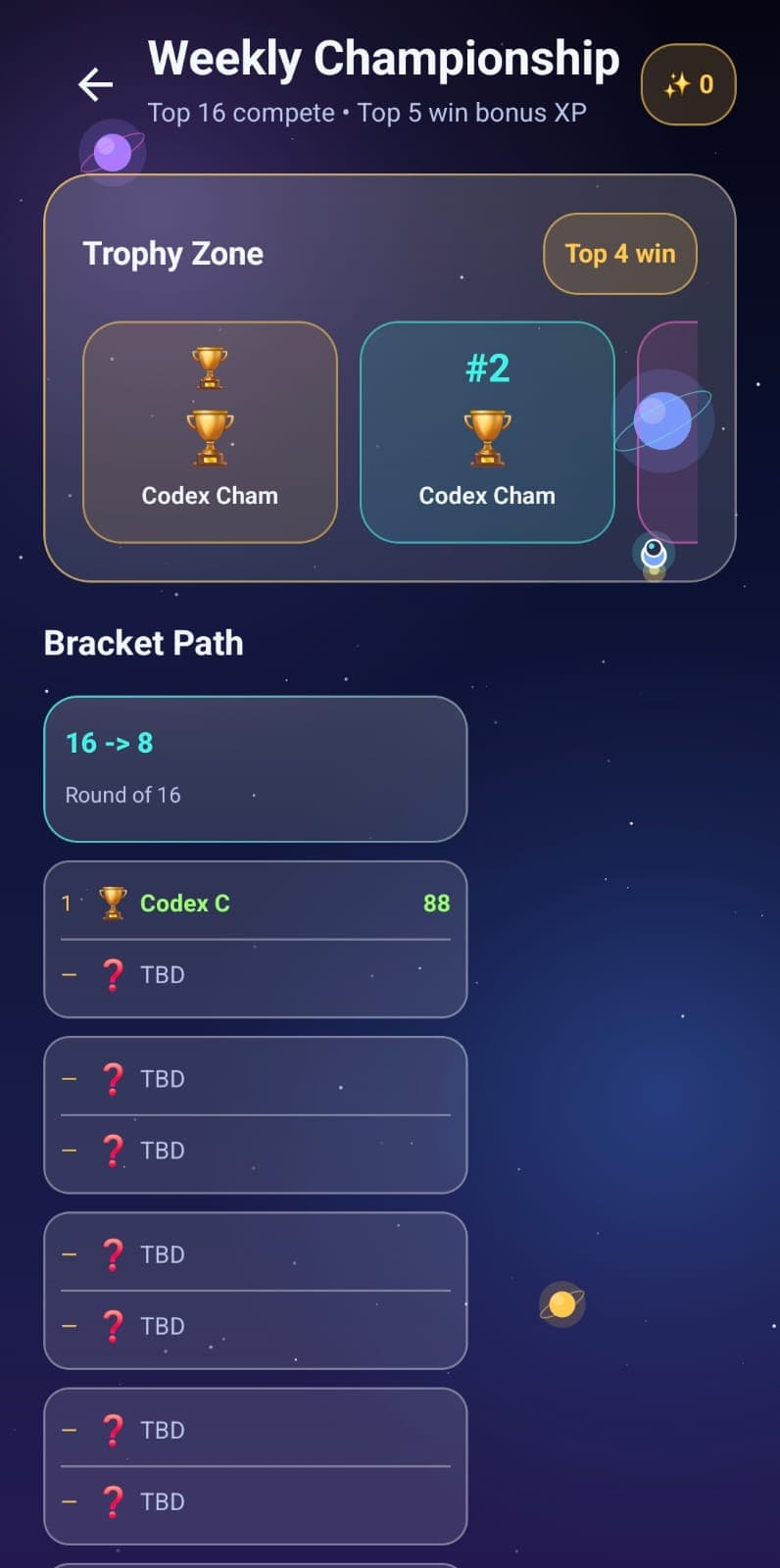
Compete weekly
The championship view shows brackets, trophy zones, and XP rewards.
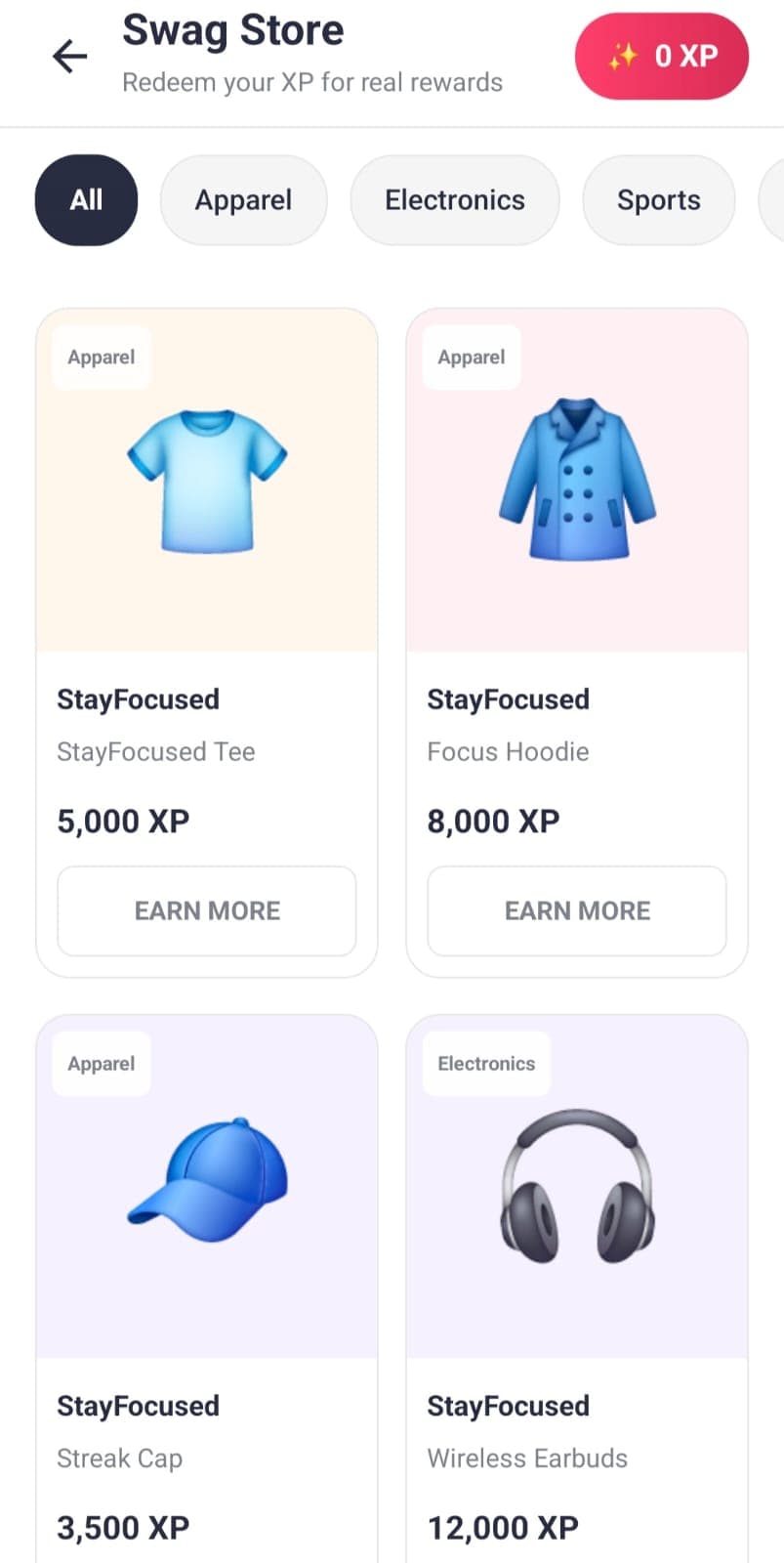
Redeem rewards
XP can power a demo swag store that makes focus progress feel tangible.
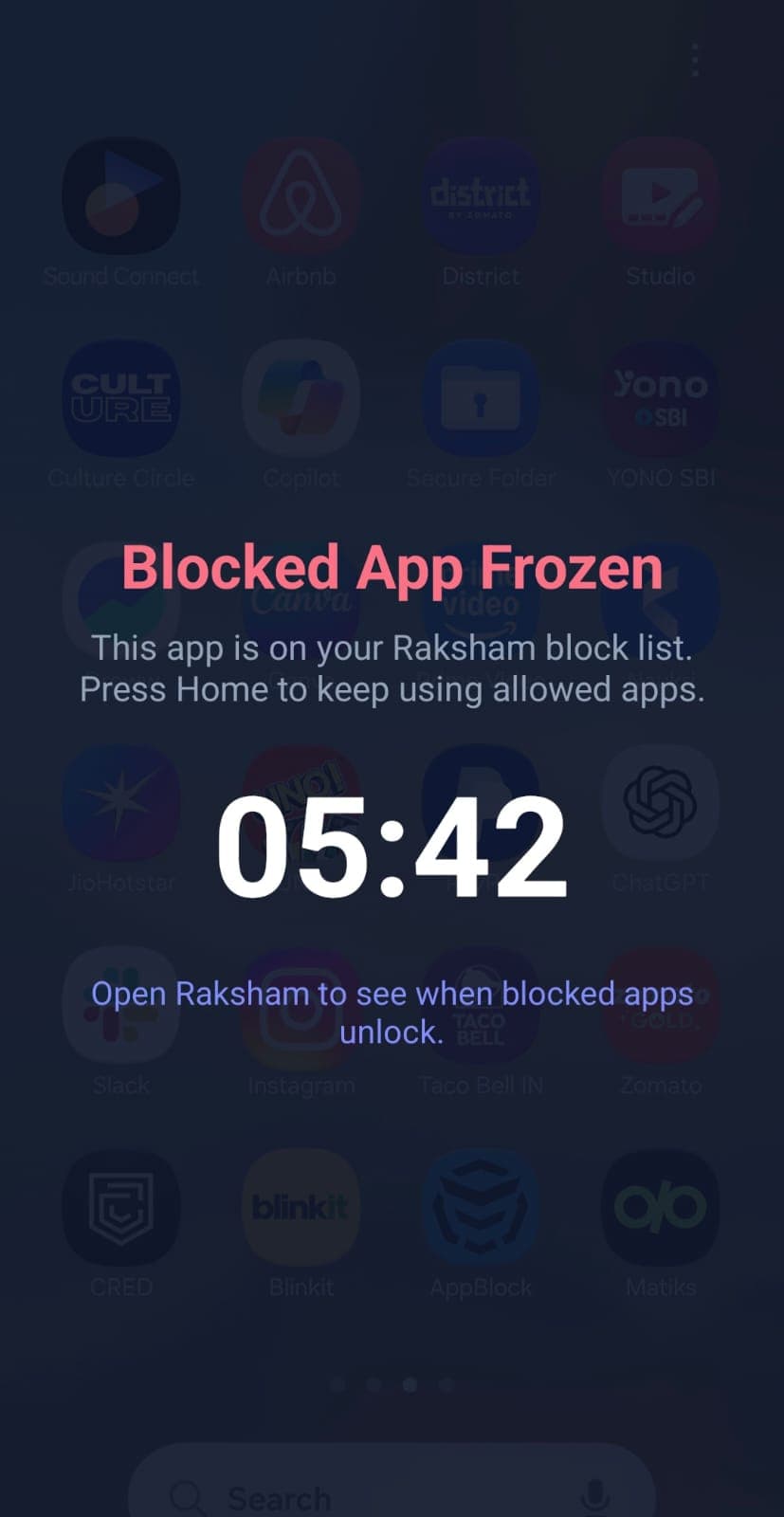
Respect cooldowns
Frozen blocked apps show a direct overlay with the remaining time.
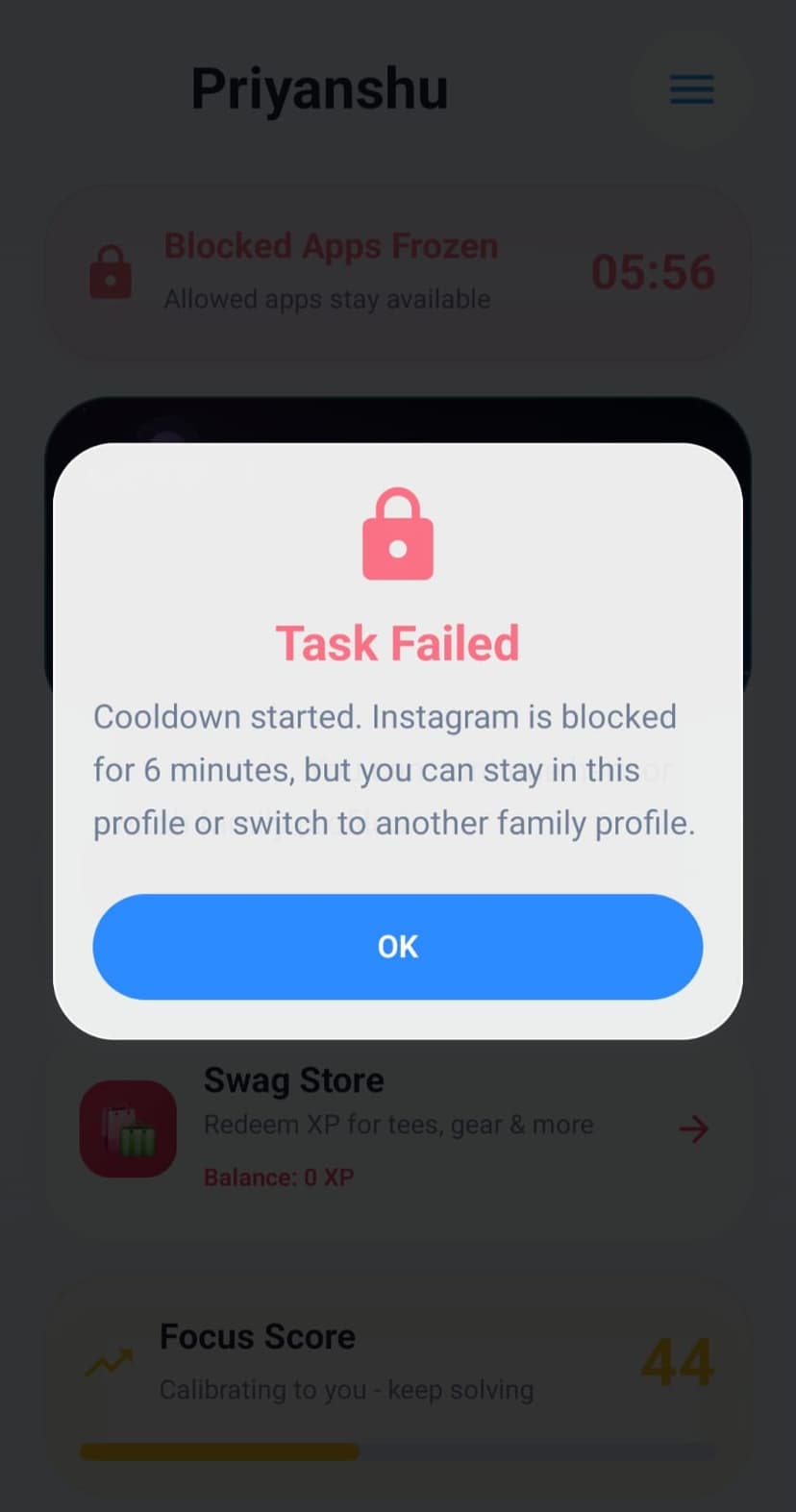
Understand failures
Friendly failure dialogs explain what happened and what stays available.